
How to use the new giving portal
We have listened to our supporters and have upgraded our donor portal in order to improve our donors’ giving experience. You will now be able to log into your account, make changes to your payment method (update your card’s expiration date, for instance), change your address.
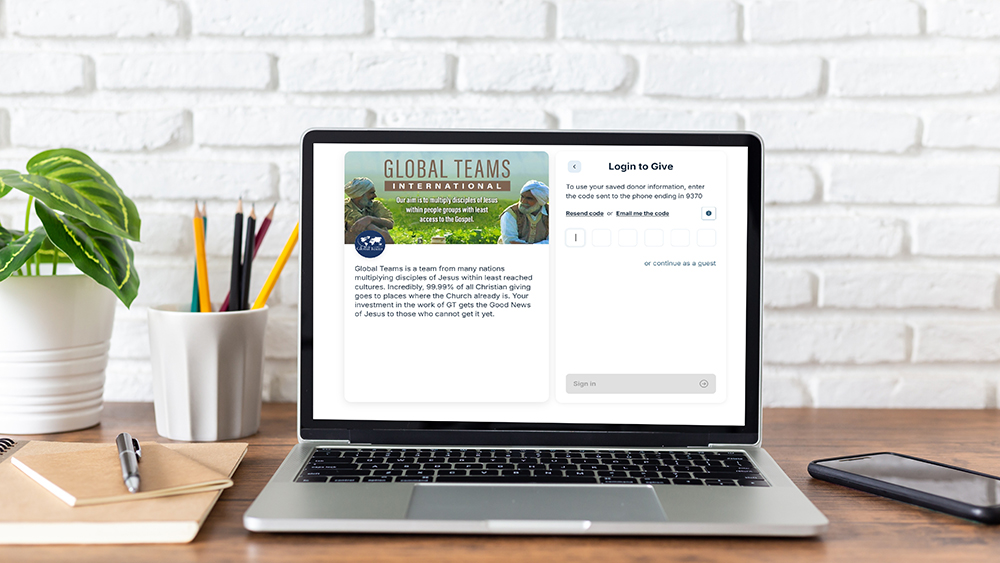
If you need to create an account. (If you have previously given, you may have an account already.)
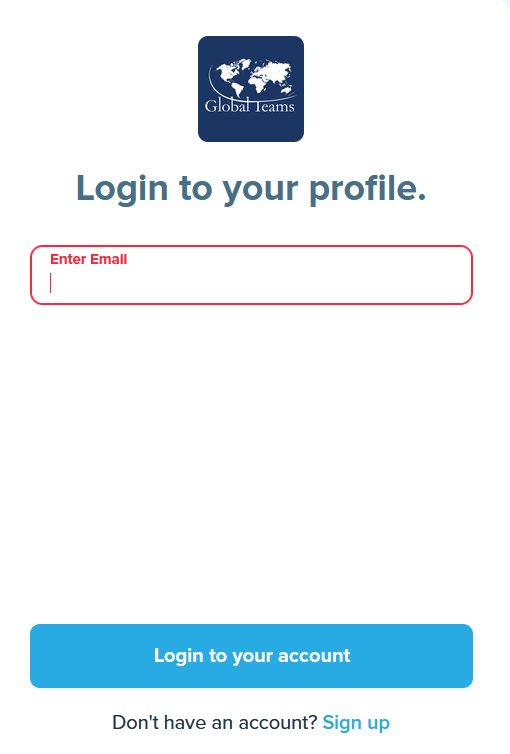
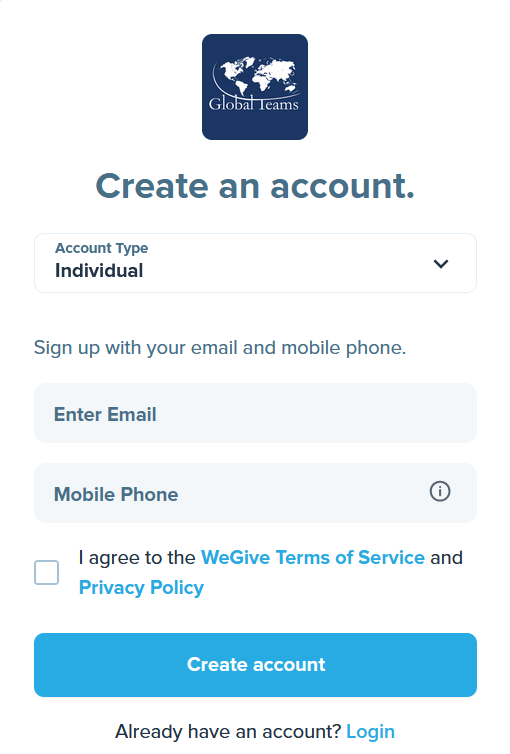
- Go to https://give.global-teams.org/global-teams-international-inc/sign-in.
- Click the “Don’t have an account? Sign up” link at the bottom of the window.
- For Account Type, leave as “Individual” or choose “Organization”.
- Enter the email address you want to have on file.
- Enter your mobile phone number. (We use your mobile number to verify your identity and keep your information secure.)
If you have already created an account
- Enter your email address. If you have given to GT in the past, we probably have already created your account.
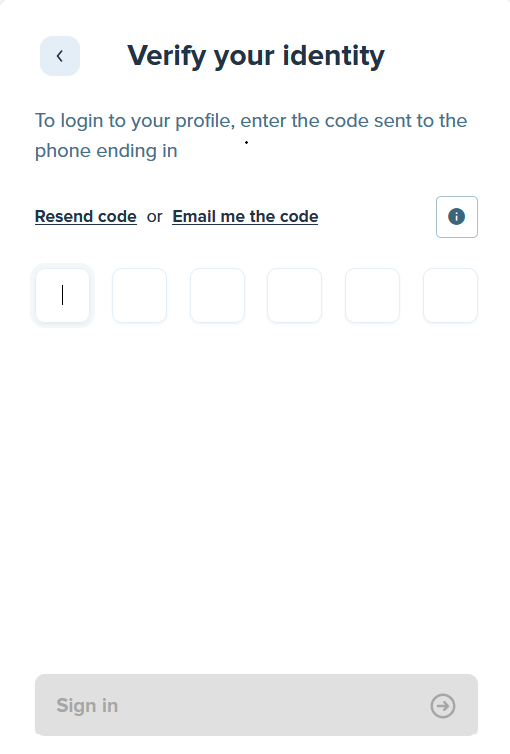
- When you press the “Login to your account” button, a six digit code will be texted to your mobile phone. This 2-step verification keeps your account secure. When you receive the text, enter the code.
If you already have a recurring gift
- If you already had a recurring gift, we will be reaching out to you about what you need to do to activate your account by entering your payment information.
If you want to make a gift
- Go to https://give.global-teams.org/global-teams-international-inc/ and follow the instructions.
If you need to make changes to your address or change a payment method
- Click on the person icon at the top right of the portal. A drop-down with options will appear.
We are continuing to update the system…
- All of your previous gifts to Global Teams may not appear yet.
- Later this year, you will be able to download giving statements.
If you need help
- Call (407) 388-0855 and leave a message
- Or email contactgt@global-teams.org or eehleringer@global-teams.org